
_5949de.png)
FACEIT is disabling voice chat during the break as it “evaluates its next steps”
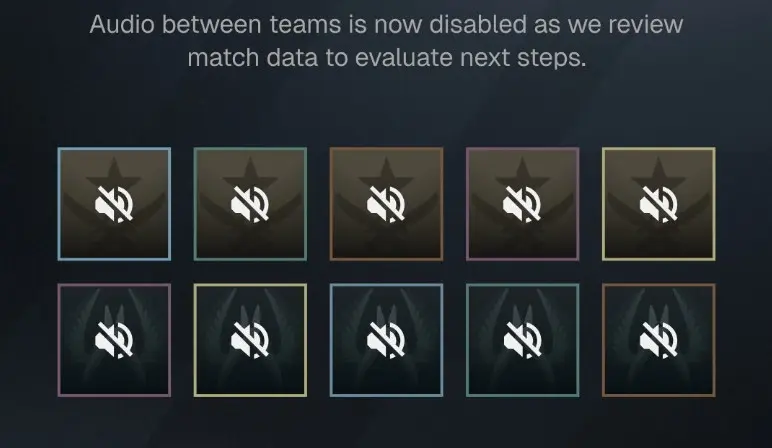
FACEIT voice chat during breaks is now disabled following a one-week trial period. Will it return? Will this feature become permanent? The community is curious.
Testing FACEIT’s voice chat during breaks
Voice chat during breaks was a key feature of CS:GO, allowing teams to trash-talk each other and engage in friendly banter between teams. It gave rise to some of the game’s most legendary clips, and players enjoyed getting to know the real people they were competing against.
However, with the release of Counter-Strike 2 in 2023, Valve decided to disable this feature. This move was intended to reduce toxicity and make the game more welcoming. However, this decision was very unpopular among players, who felt it stripped away part of Counter-Strike’s core identity while doing little to address the game’s actual problems. Since then, users have been constantly asking for this feature to be brought back. This topic frequently comes up on forums and Steam discussions.
FACEIT Brings Back Voice Chat During Match Breaks

FACEIT is bringing back voice chat during match breaks. Image: FACEIT via website
In July 2026, an unexpected source answered their prayers. The third-party Counter-Strike platform FACEIT caught the community’s attention when it announced that it would consider bringing back intermission chat to its private servers. FACEIT has a private queue system for ranked matches, so this won’t affect the base game at all. However, it affects a significant portion of the Counter-Strike player base (over 34 million users) and will certainly be a step closer to the permanent return of this feature.
FACEIT launched a poll, allowing users to voice their opinions on the way forward. The community voted overwhelmingly in favor of bringing back the intermission chat, leading to the announcement of a trial period. This feature was introduced in Season 9 alongside an updated ban policy that addressed dehumanizing behavior and toxicity while relaxing rules regarding harmless banter. FACEIT also released a new anti-cheat measure—Human Input Detection.
FACEIT reintroduced voice chat during breaks on August 5, 2026. It remained in the game as a one-week test.
Will voice chat during breaks return? FACEIT is “evaluating”
Is voice chat unavailable during breaks on FACEIT?
On August 12, 2026, FACEIT’s voice chat test concluded. The platform immediately published a brief update informing the community:
“The voice chat test during breaks is complete. Audio between teams is now disabled. We are reviewing match data to evaluate next steps.”
Will the in-game break voice chat return to FACEIT Counter-Strike?
Previously, FACEIT had indicated that the company was prepared to make the intermission chat a permanent feature if the test yielded positive results. However, it appears that the update has garnered significant attention from the community.
Відповіді