
Перейти до змісту
View in the app

A better way to browse. Learn more.

Файна Україна

A full-screen app on your home screen with push notifications, badges and more.

To install this app on iOS and iPadOS
  1. Tap the Share icon in Safari
  2. Scroll the menu and tap Add to Home Screen.
  3. Tap Add in the top-right corner.
To install this app on Android
  1. Tap the 3-dot menu (⋮) in the top-right corner of the browser.
  2. Tap Add to Home screen or Install app.
  3. Confirm by tapping Install.

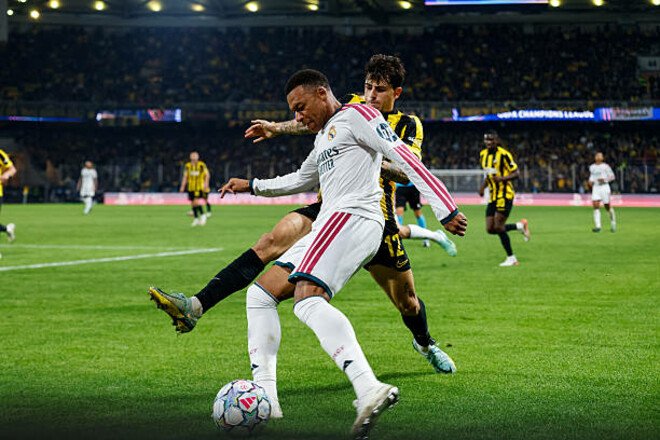
Mbappé was just one match shy of Messi's Champions League record
📅 04.11.2026 23:09⏱ 1 хв читання
Ciko Перегляди: 43 Відповіді: 0
Mbappé was just one match shy of Messi's Champions League record
Згадаємо топ-5 футболістів з найменшою кількістю матчів для 100 результативних дій в ЛЧ

Kylian Mbappé, the 27-year-old French forward for Real Madrid, has reached the 100-goal mark in the Champions League.

The Frenchman’s milestone goal came against AEK in Matchday 4 of the 2026–27 Champions League group stage.

This occurred in Mbappé’s 102nd match in Europe’s most prestigious club tournament.

Robert Lewandowski needed the same number of matches to reach his first 100 goal-contributing plays in the Champions League.

Only one player reached the 100-goal mark in the tournament faster than Mbappé and Lewandowski—Lionel Messi (101).

Players with the fewest matches played to reach 100 goal-contributing plays in the Champions League

  • 101 – Lionel Messi (2015)

  • 102 – Kylian Mbappé (2026)

  • 102 – Robert Lewandowski (2021)

  • 114 – Cristiano Ronaldo (2015)

  • 134 – Karim Benzema (2021)

As a reminder, following the match against AEK, Kylian Mbappé has 74 goals and 26 assists in the Champions League.

Відповідей поки що немає.
Гість
Напишіть відповідь...

Powered by Invision Community
Invision Community Support forums

Акаунт

Навігація

Пошук

Пошук

Configure browser push notifications

Chrome (Android)
  1. Tap the lock icon next to the address bar.
  2. Tap Permissions → Notifications.
  3. Adjust your preference.
Chrome (Desktop)
  1. Click the padlock icon in the address bar.
  2. Select Site settings.
  3. Find Notifications and adjust your preference.