
_5949de.png)
Swimsuit skins outperformed their Marvel rivals in the previous Counter-Strike Steam rankings
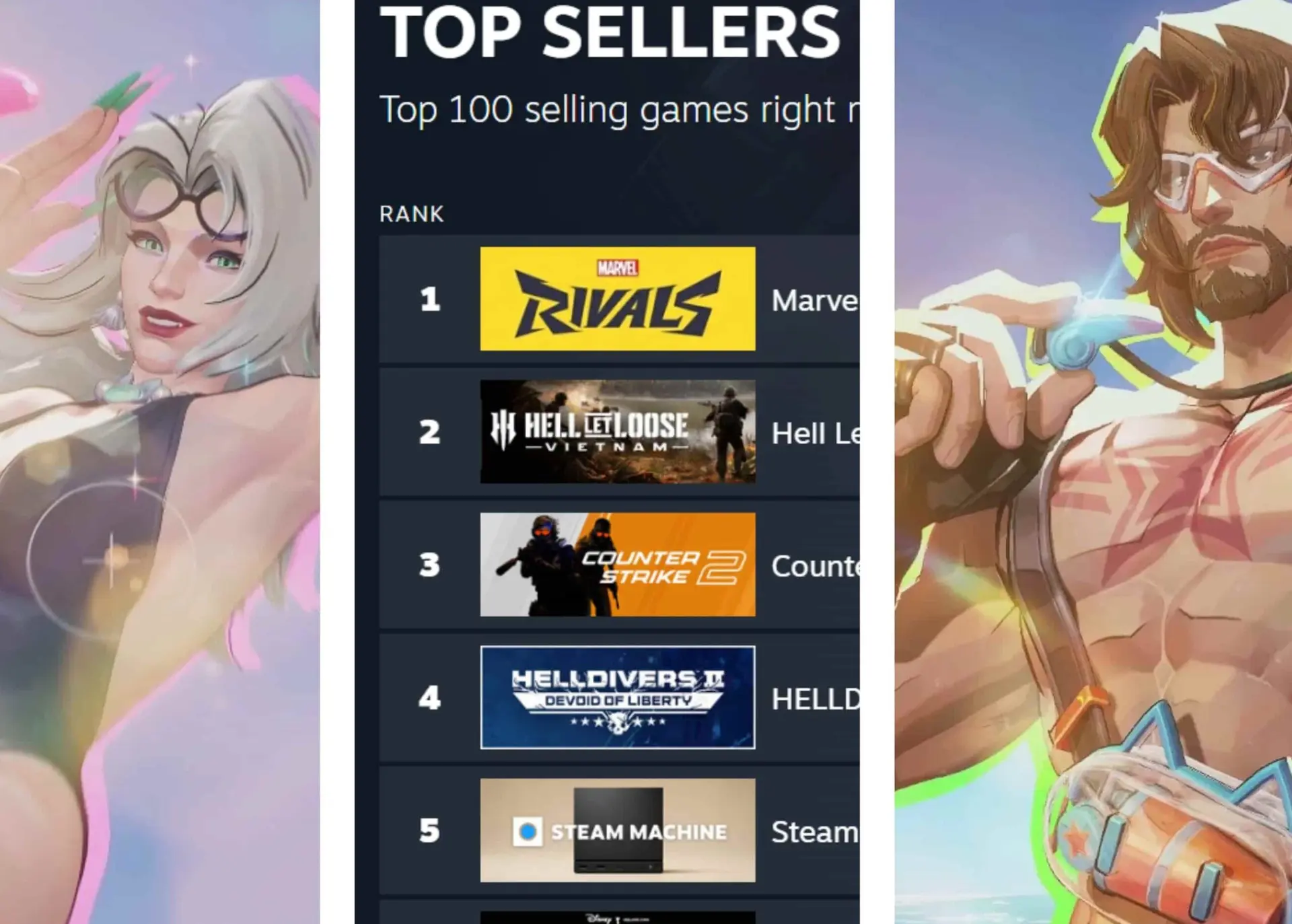
An unexpected rival has knocked Counter-Strike off the list of the 100 best-selling games on Steam. The Marvel Rivals swimsuit skins gave it the final push it needed to secure the victory. Here’s everything you need to know.
Marvel Rivals Overtakes Counter-Strike 2 as the Most Popular Game on Steam
On August 14, 2026, players noticed that Marvel Rivals had overtaken Counter-Strike 2 to become Steam’s best-selling game. The game reached the top spot on the list of the 100 most popular games by revenue, also surpassing such popular titles as Apex Legends, Kingdom Hearts, and Helldivers 2.

Marvel Rivals surpassed Counter-Strike as the most popular game on Steam in August 2026. Image: Valve via Steam
The update also shows a significant upward trend in sales for Marvel Rivals. Meanwhile, Counter-Strike has seen a slight decline.
Counter-Strike, one of Valve’s most popular titles, has been on the list of the top 100 most popular games for over 730 weeks. The game has had a lasting impact on the FPS genre.
This shift is particularly significant because it is very rare for another esports game to outperform Counter-Strike in terms of sales on Steam. Typically, a viral release only temporarily displaces the game. In just two years since its launch, Marvel Rivals has skyrocketed into a successful esports league, with teams like NaVi and Team Liquid competing in its tournaments. Its scale still can’t compare to the massive major Counter-Strike tournaments, where Team Vitality, FURIA, and other organizations rack up millions of views, but the esports scene is definitely real and here to stay.
It’s important to note that Counter-Strike remains ahead of Marvel Rivals on the list of Steam’s most popular games (based on the highest number of concurrent players). Currently, according to SteamCharts, it holds the top spot, with over 900,000 concurrent players at the time of writing. DOTA 2, a Valve favorite, ranks second with 716,000 players.
It’s All Thanks to the Swimsuit Skins
So what exactly happened to give Marvel Rivals the final push in its battle against Counter-Strike? Well, for the past few years, the game has been releasing a summer-themed event. It features the drop of a special “Swimsuit” skin, in which characters don new beach outfits. It appears that the swimsuit skins gave Marvel Rivals the final push it needed to surpass Counter-Strike in the charts.
The special summer swimsuit skins for Marvel Rivals are among the game’s most successful cosmetic items, and the sales data backs this up. Players gave the first set, released in the 2025 Summer Party seasonal update, widespread acclaim. In 2026, the team has already released three more sets. The swimsuit variants for Black Cat, Magic, and Psylocke are among the most popular.
Buyers appreciate that the designs don’t shy away from more laid-back, realistic adult-style outfits. Additionally, they include options for all types and genders of Heroes: Captain America, the Winter Soldier, and Loki are no exception to the hype. In fact, the Captain America swimsuit is one of the most popular in the game.
Відповіді