
_5949de.png)
iBUYPOWER Masters FML 2026 by fl0m: Schedule, Teams, How to Watch
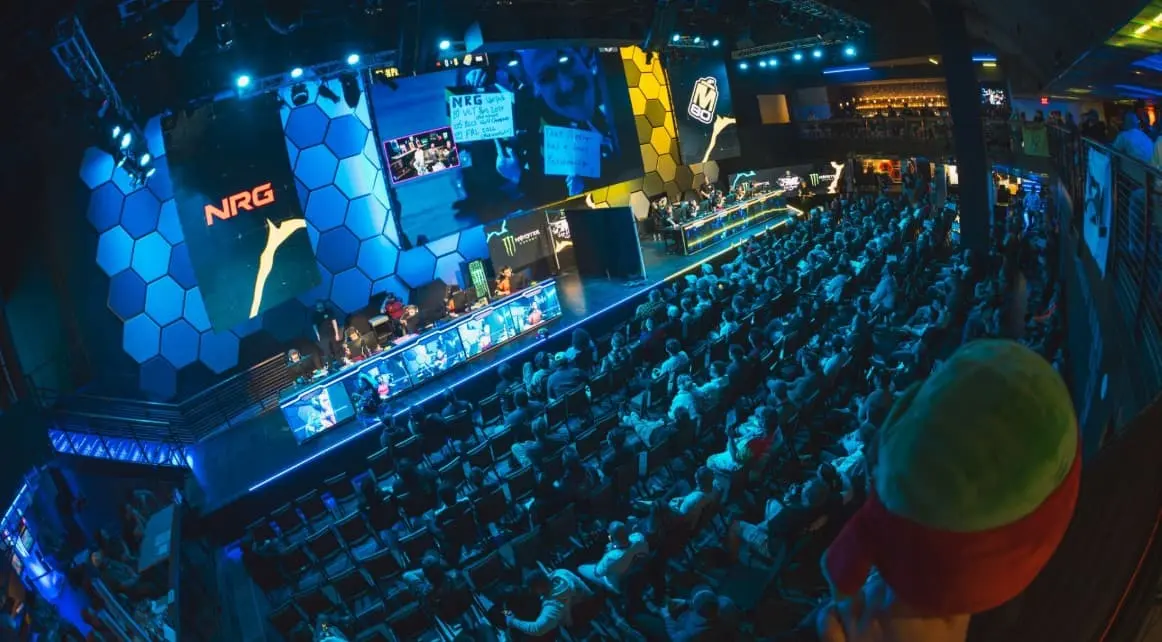
One of the key Tier 2 Counter-Strike tournaments is just around the corner, and it’s sure to draw attention to teams from the Americas. Let’s recap everything fans need to know about the iBUYPOWER Masters FML 2026 before the event kicks off.
What is the iBUYPOWER Masters FML 2026?
The iBUYPOWER Masters FML 2026 features the eight most formidable teams in the Americas in a Counter-Strike 2 LAN tournament. This year, it will take place at the HyperX Esports Arena in Las Vegas. Twitch streamer, pro player, and CS content creator fl0m is the driving force behind the event as part of his ongoing partnership with iBUYPOWER.
A prize pool of $30,000 is up for grabs for the participants. Of this amount, the first-place team will receive the grand prize of $12,500.
This Year’s Participating Teams
The eight strongest CS2 teams from the Americas region will compete in the iBUYPOWER Masters FML 2026. The event is invitation-only, so it showcases professional-level talent. The organizers have invited four teams from North and South America based on their VRS rankings. Team Liquid and M80, the two strongest organizations in North America, top the list.

The CS2 teams for the iBUYPOWER Masters FML 2026. Image: iBUYPOWER via website
M80
Wildcard
Team Liquid
NRG
Team Voca
Chicken Coop
DENDELE CS
BESTIA
Schedule and Format
The iBUYPOWER Masters FML 2026 will take place over the weekend for the convenience of viewers. The event will begin on Friday, September 25, and conclude on Sunday, September 27.
Group Stage: September 25.
Semifinals: September 26.
Grand Final and Third-Place Match: September 27
This year’s tournament consists of two stages. In the group stage, teams are divided into two different clusters:
Group A
Team Liquid
NRG
Wildcard
Chicken Coop
Group B
DENDELE CS
M80
BESTIA
Team Voca
The top two CS2 organizations from each group stage will advance to the playoffs, where the decisive match for third place will take place.
Live coverage of the event: collectible cards, the AMD PC Lab, the Beyblade Arena, and much more

Pipo relaxes in a T-shirt during the iBUYPOWER FML event. Image: iBUYPOWER, FML via website
Alongside the tournament, live viewers will have plenty of opportunities to explore. Among them:
NVIDIA-powered 1-on-1 Arena
Beyblade Arena with daily tournaments (the winner receives a free AMD processor)
An AMD PC-building lab, as well as a processor giveaway
iBUYPOWER collectible card displays and giveaways
All participants will receive one free set of iBUYPOWER trading cards. The trading card set features key moments in CS history. They will also receive a “CHOKING HAZARD” sticker.
Відповіді