
_5949de.png)
No chance and a new low: NAVI lost to Aurora at StarSeries Fall
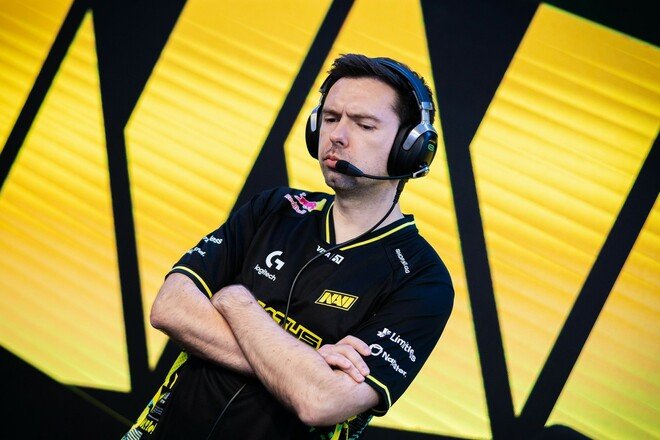
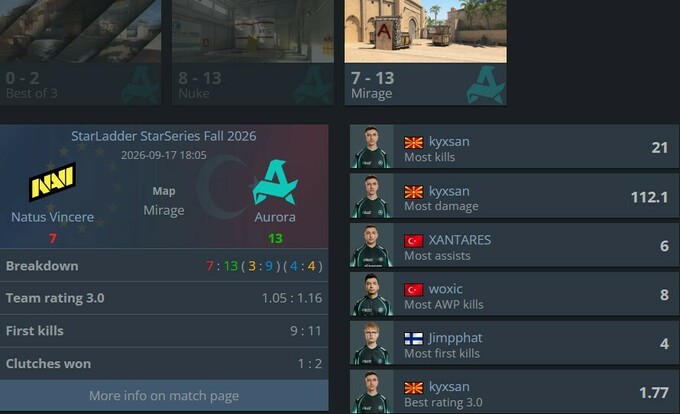
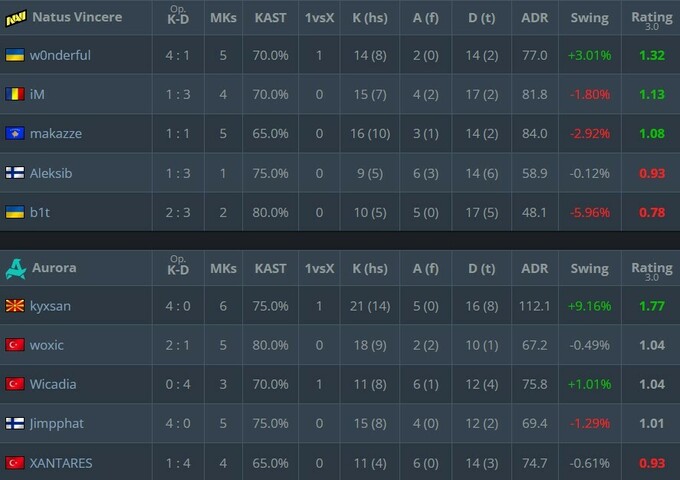
The Natus Vincere team lost to Aurora 0–2 in the first round of the upper bracket of the StarLadder StarSeries Fall 2026 CS2 tournament.
The first map of the match was Aurora’s pick—Nuke—where they confidently seized the initiative and closed out their pick with a score of 13–8.
The second map was Mirage, where Aurora immediately took control of the game and won the first half 9–3 while defending. After the side switch, NAVI tried to get back into the game and took several rounds in a row, but Aurora stopped the comeback and finished off their opponent with a 13-7 victory.
For more esports news, follow the Esports on Sport.ua Telegram channel
It’s worth noting that this is NAVI’s first loss to Aurora in their last seven head-to-head matches; furthermore, this defeat dropped Natus Vincere to 15th place in the global VRS rankings, which is the lowest ranking in the club’s history.
As a result of the match, NAVI dropped to the lower bracket of the tournament, where they will face MOUZ in a knockout match, while Aurora advanced to the upper bracket semifinals and will face NRG.
Відповіді